BLOSSOM
MY ROLE
Research + AI Pipeline Contributor
MY SLICE
UI design across the prompt system and Blossom app; the Gen-AI square-generation pipeline; the Figma board-templating system
TEAM
Irene Wong, Mansi Saini, Pichy Jumpholwang, Rishab Bajaj, Wing Koon, Blythe Chen, Michelle Tan
TECHNOLOGIES
Figma (+ plugin), Gemini 2.0, Google Forms
SCOPE
2 iterations · 5 events · 150+ participants · 26 interviews
A bingo board that doesn't just break the ice — it builds the bonds.
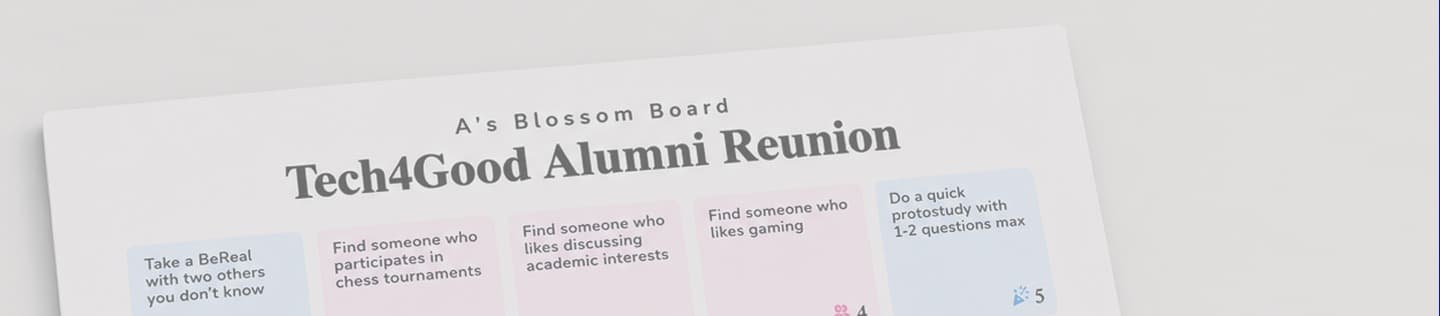
Big collocated events are full of people who could help each other — but finding the right person, and getting past the awkwardness of a cold introduction, is hard. Blossom powers Community Bingo: an augmented icebreaker where every square is a purposeful, personalized prompt built from a pre-event survey, so attendees meet, support, ideate, and connect on what they actually came for.
CONTEXT
Built within Tech4Good, a social computing research group at NYU exploring the intersection of computational and social systems. Their mission: design and develop systems and programs that support individual and societal flourishing in education, work, and communities. Blossom set out to reimagine the networking experience at their events.
CHALLENGE
Networking events are designed to foster collaboration and connection. However, their large scale often results in surface-level interactions — and existing tools each solve only a slice of the problem. None flex to a whole crowd's diverse goals at once.
SOLUTION
Community Bingo: personalized prompts with blended interactions to engage participants in authentic, goal-driven conversations. The result across 5 events: 90% expanded their networks, 86% deepened existing relationships, and 90% reported enjoying the experience.
The Landscape
Challenge: One activity can't serve every goal… or can it?The Problem
At a conference, mixer, or lab event, people arrive with a spread of goals — finding collaborators, getting advice, switching careers, building belonging. The room is full of potential matches, but two barriers get in the way: the difficulty of finding the right person, and the social friction of approaching a stranger at all.
Research Gap
Icebreakers reduce tension but stay surface-level. Speed-dating formats match teams but serve a single goal. Clicker polls elicit questions but don't build relationships. None flex to a whole crowd's diverse goals at once. The literature confirmed this gap across UX facilitation, AI-mediated interaction, and community building research.
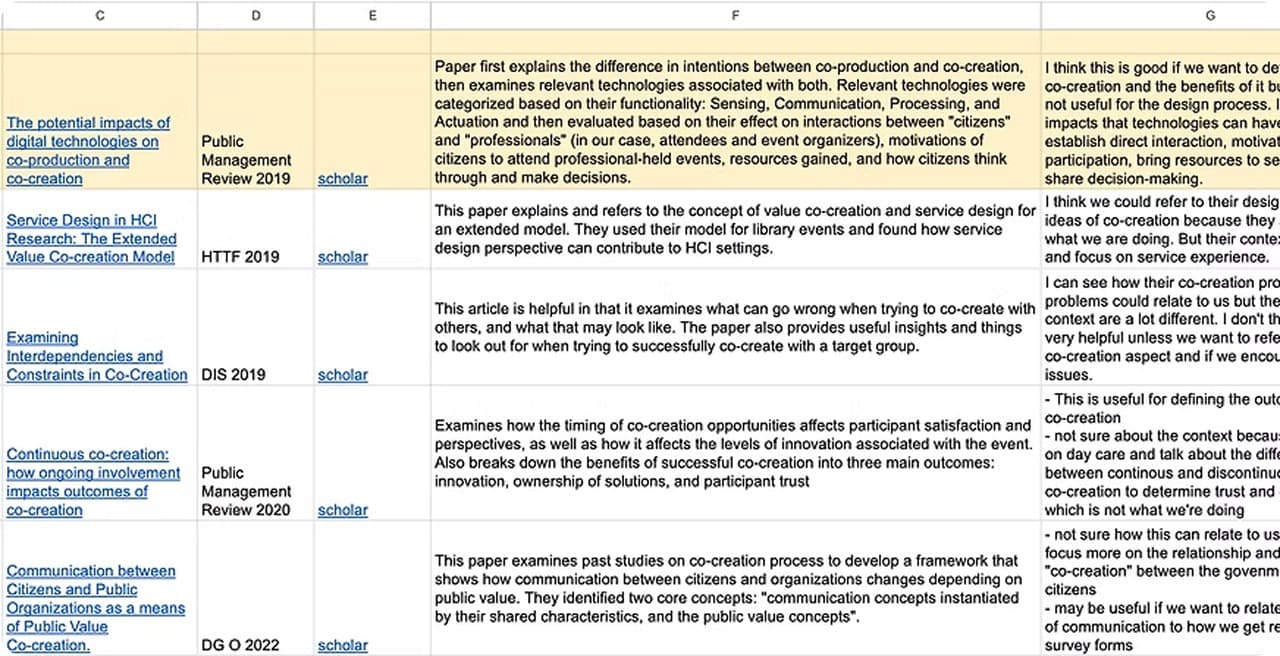
Problem Statement
How can community events be designed to foster authentic, goal-aligned connections between attendees with diverse interests and needs?
Research Approach
The team picked the human bingo experience to reimagine because it's a familiar, low-barrier social activity that naturally encourages people to approach and interact with others. By augmenting the format with attendee survey data and personalized prompts, we created Blossom: Personalized Human Bingo.
- To what extent does Blossom meet diverse individual and community goals in collocated settings?
- How do participants perceive the personalization, interaction design, and community-building value?
- What design challenges or contextual barriers limit the depth or longevity of connections made?
- Could AI automation (Gemini 2.0) replace manual analysis without sacrificing what made it feel personal?
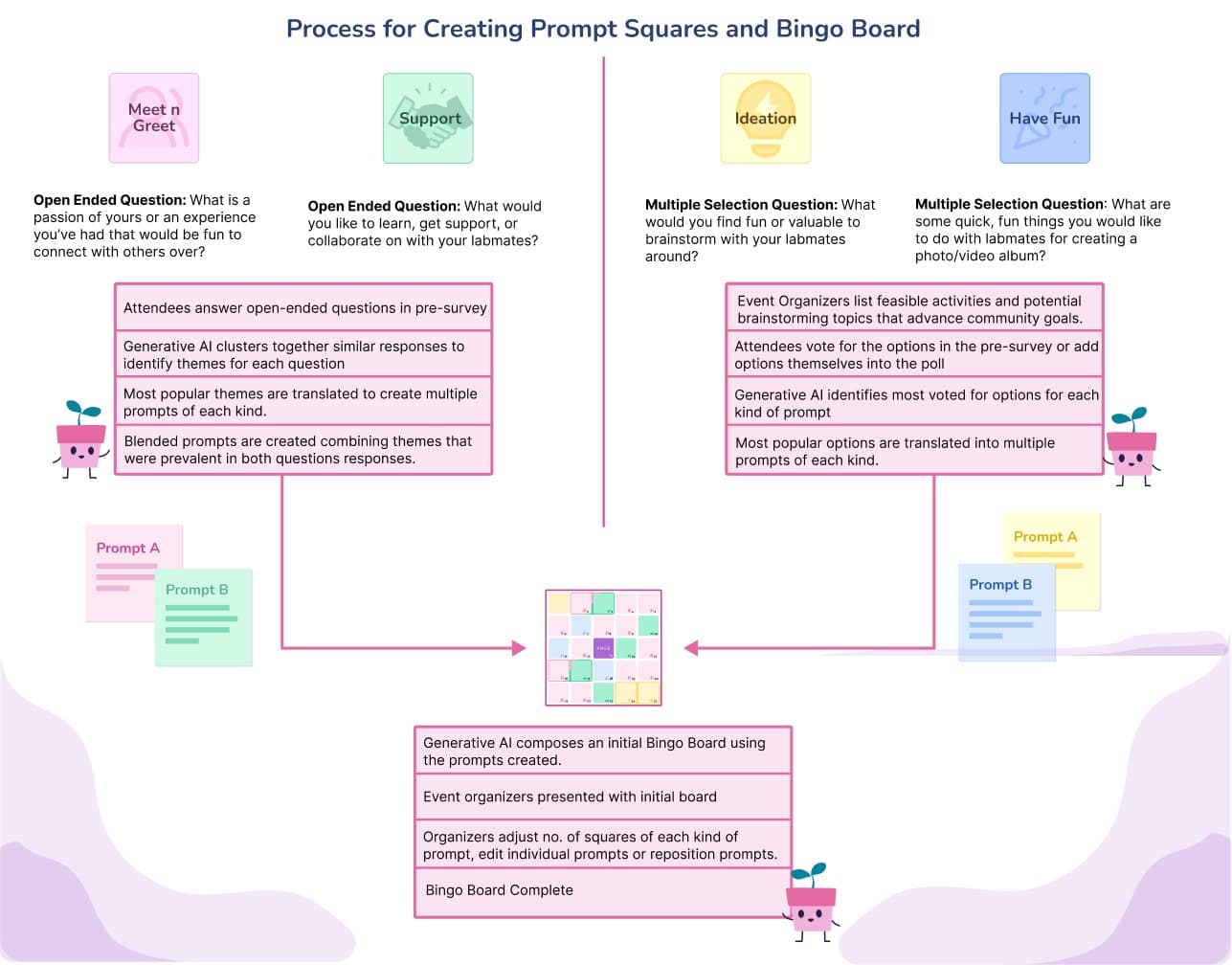
Behind the scenes, pre-survey responses fed into prompt squares tailored to each attendee, which Gemini 2.0 then assembled into a complete personalized bingo board.
The Design Space
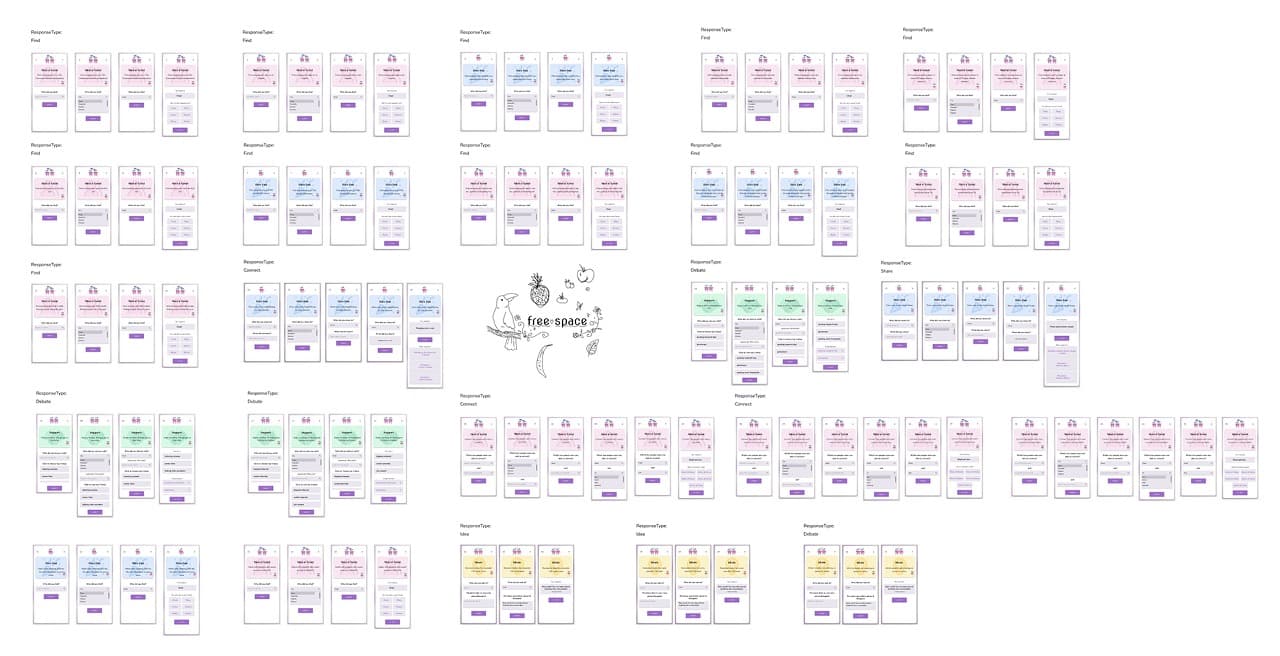
Community Bingo's squares come in four flavors, each mapped to a category of attendee goal. Every prompt is collaborative by design — never something you can complete alone — so social interaction is always the point.
Connect over shared interests
Find someone with the same career aspirations, someone who reads the same genre, or someone from a different team working on a similar problem. These squares create an excuse to approach and a topic to start with.
Early Directions
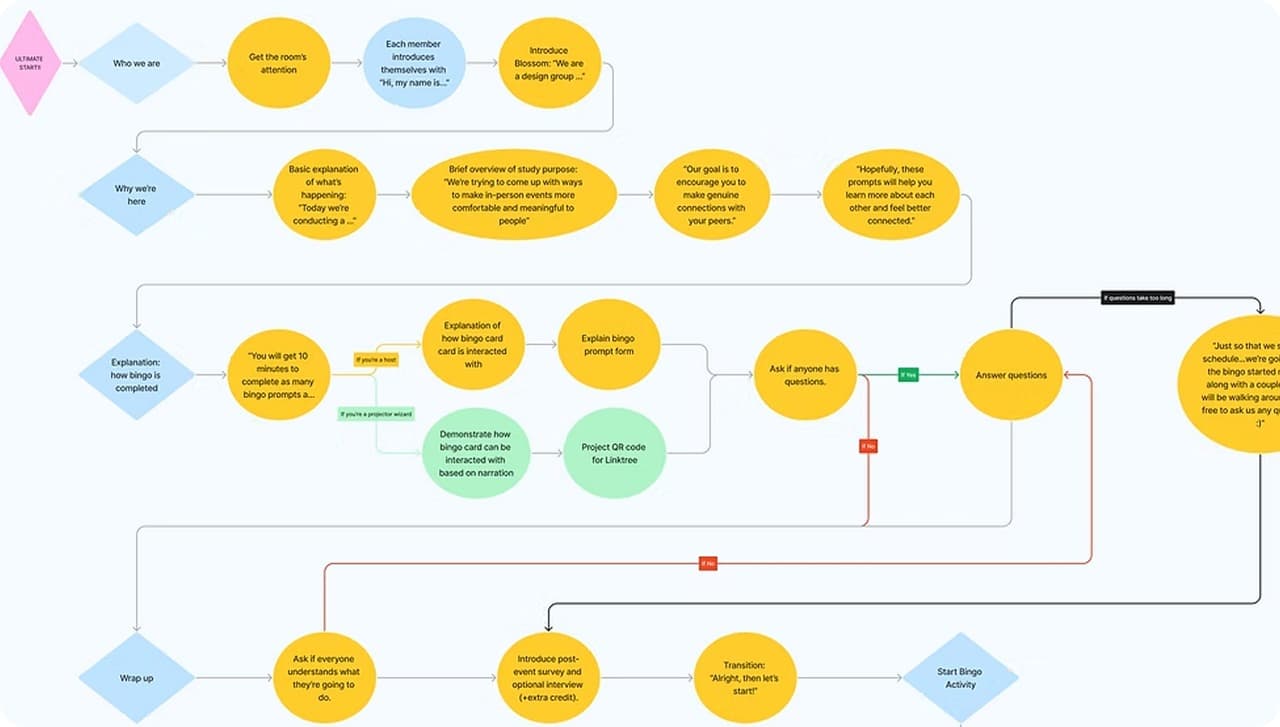
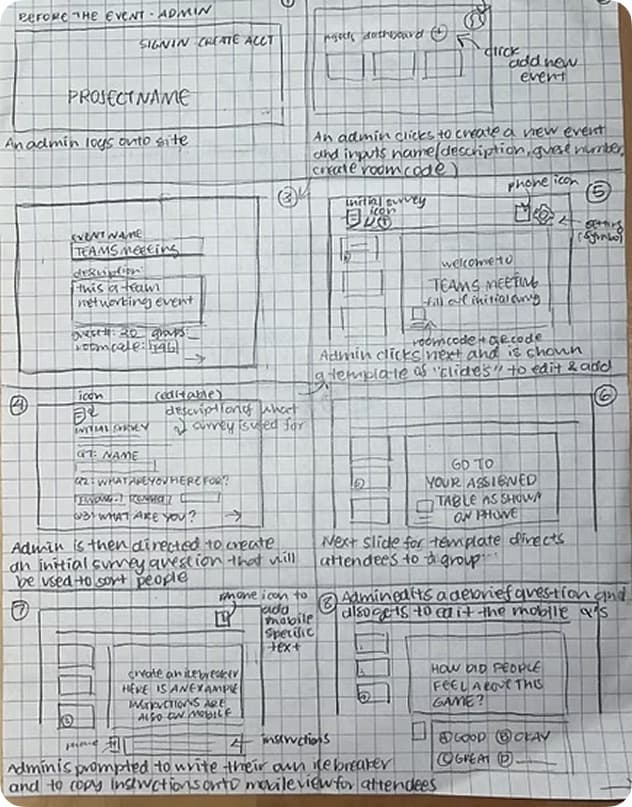
We ultimately transitioned to a phone-based experience to reduce friction and leverage a device attendees already carry. Early paper sketches mapped out the admin flow for creating an event and the attendee flow for joining one.
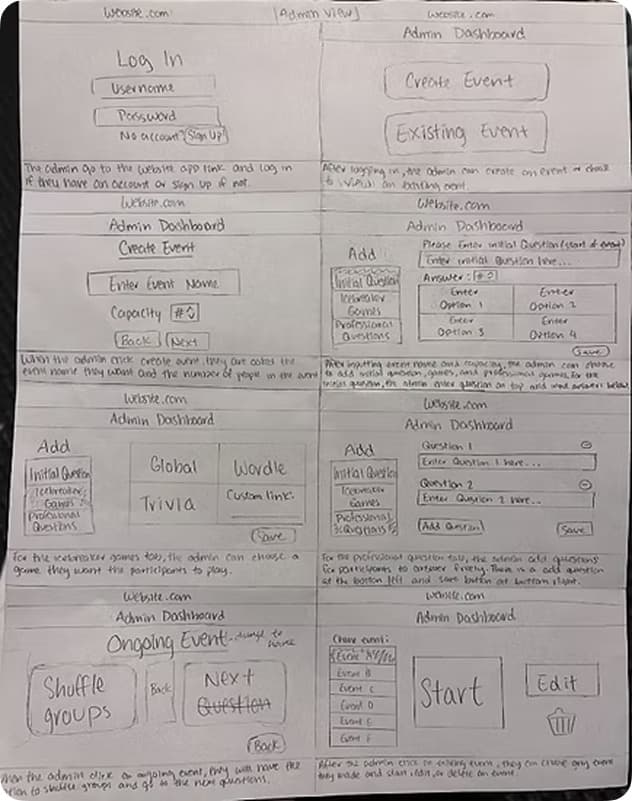
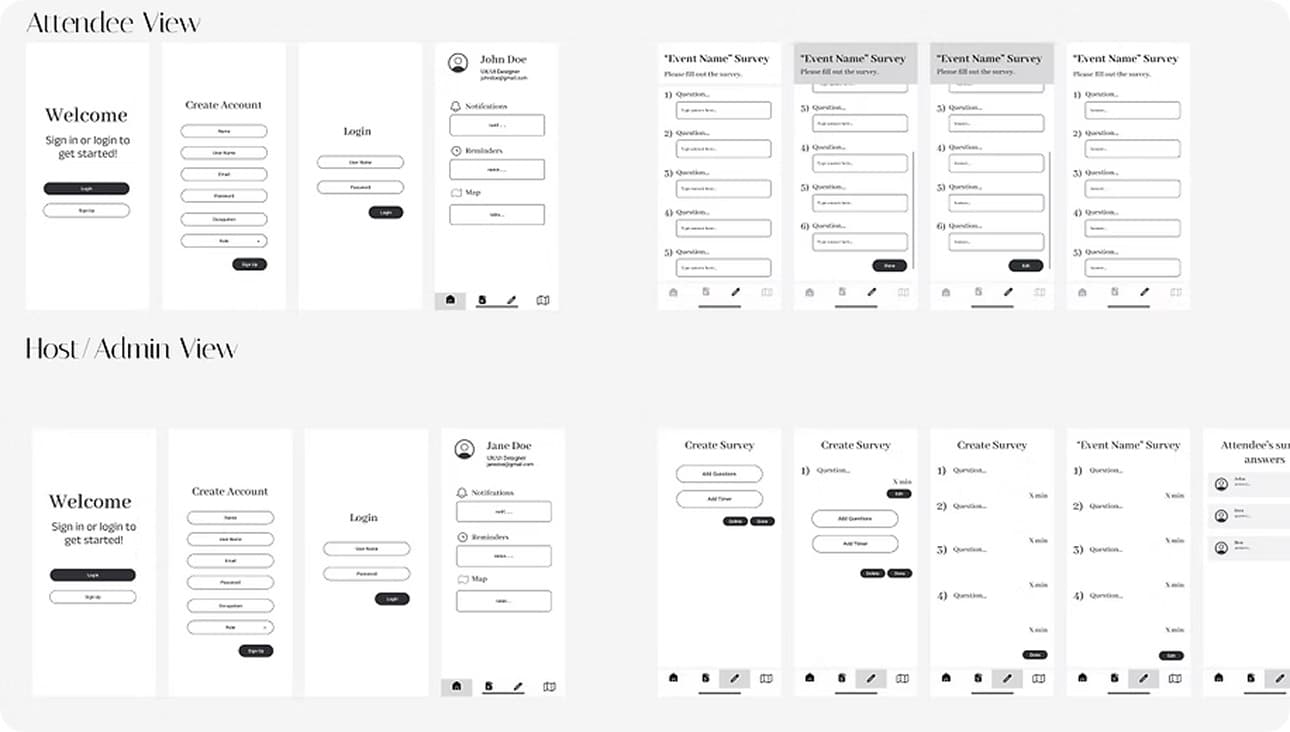
From there, we built wireframes for both sides of the experience: an Attendee View for joining a board and answering prompts, and a Host/Admin View for creating events and surveys.
Two Iterations
V1 proved the concept. V2 asked: how personal can we make it?
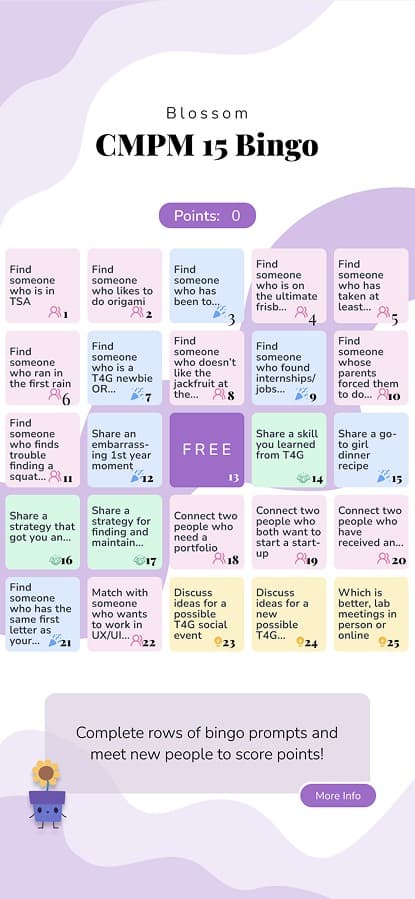
V1 — Digital
- → Shared board per event
- → Manual analysis (Wizard-of-Oz)
- → App + projector display
V2 — Analog + AI
- → Per-person personalization
- → Gemini 2.0 generation
- → Printed boards, signed by hand
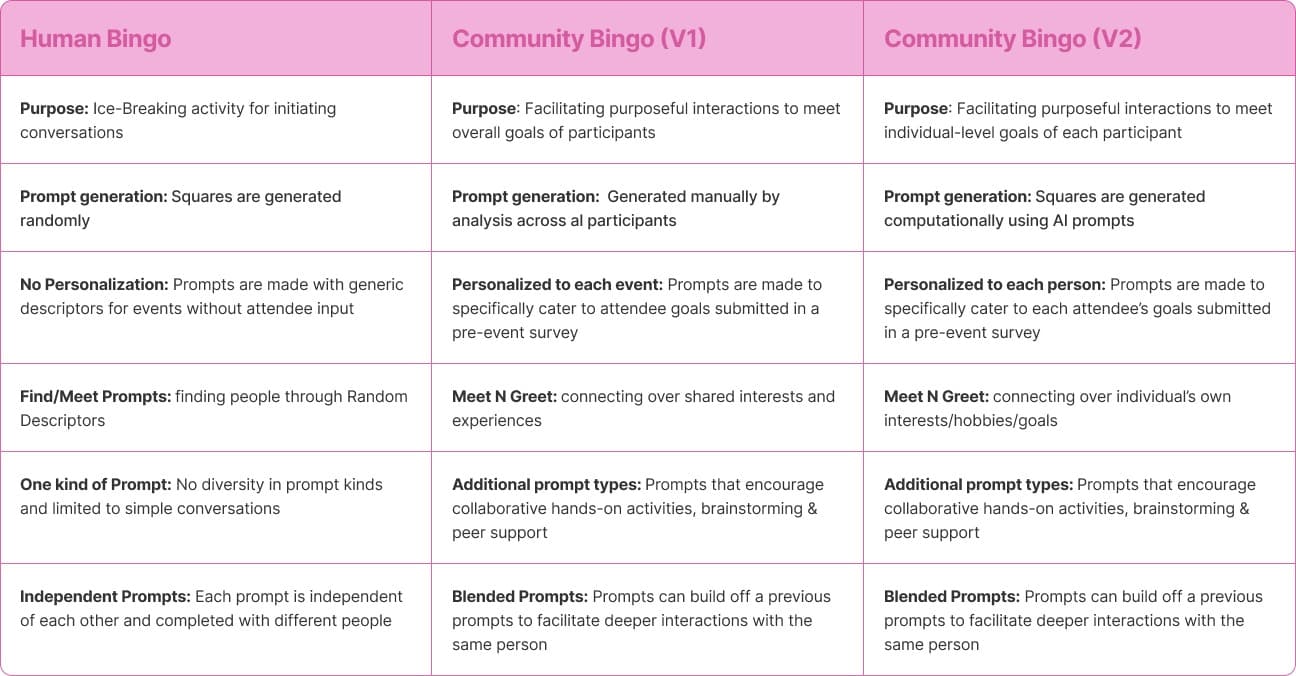
V1 used digital boards displayed by projector, with manual analysis generating shared prompts. It worked, but the screen pulled attention away from the people in the room — and a shared board captured collective interests at the cost of individual ones.
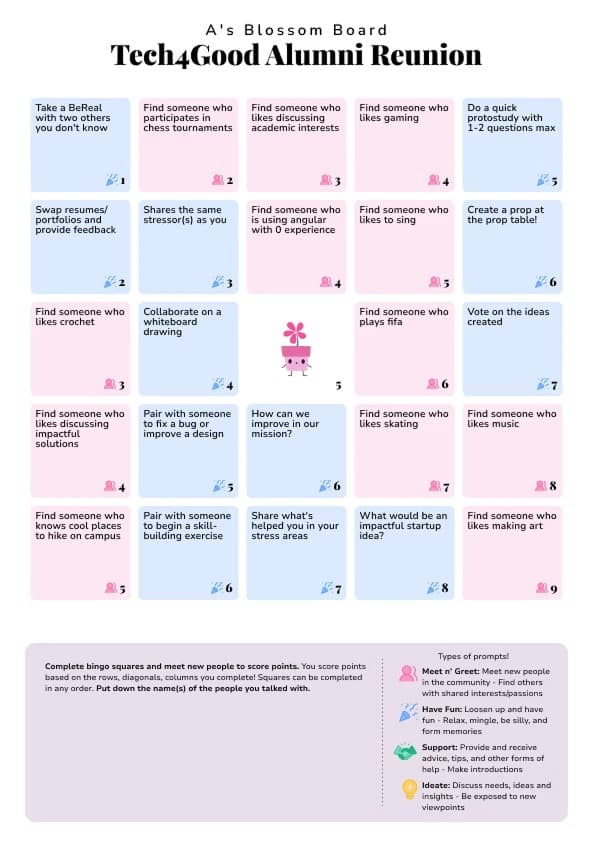
Personalization's Two Faces
The strongest enhancement was also the sharpest limitation.This is the beat the whole project is built around. Personalization created real magic — and introduced a new failure mode. Same mechanism, two opposite outcomes.
Made people feel seen
“Whatever I put on the Google form showed up on the bingo card exactly… my responses were heard.”
“Wait — that's me.”
“It made me really happy that my little fact made it into someone's page.”
Made squares unwinnable
“Only one person is going to match it, and it's really hard to find that one person.”
“The guy from the aircraft industry didn't attend… so I knew I couldn't get it.”
“I couldn't find people who matched some of the prompts.”
Personalization and findability traded off — the more precisely a square fit one person, the harder it was to complete in the room.
The resolution participants themselves proposed: smaller groups for personalized prompts, and never narrowing a square to a single point of failure. This is the finding that separates a designer who ships a feature from a researcher who understands it.
Impact
Across both versions and all five events, the activity delivered on its multi-goal promise.
“Grad school, versus industry, versus unemployed and worried about it… any of them could be me.”
— Alumni participant
Connection
New connections over shared interests — people networked across teams, years, and career stages.
Community
Deepened relationships people only knew “in the educational sense” — continued conversations after the event.
Support
Resume swaps, bug fixes, interview tips — the stress prompt alone drew 30 submissions across three events.
Ideation
Collaborative brainstorming that left people feeling their ideas were heard — exposed participants to each other's creative processes.
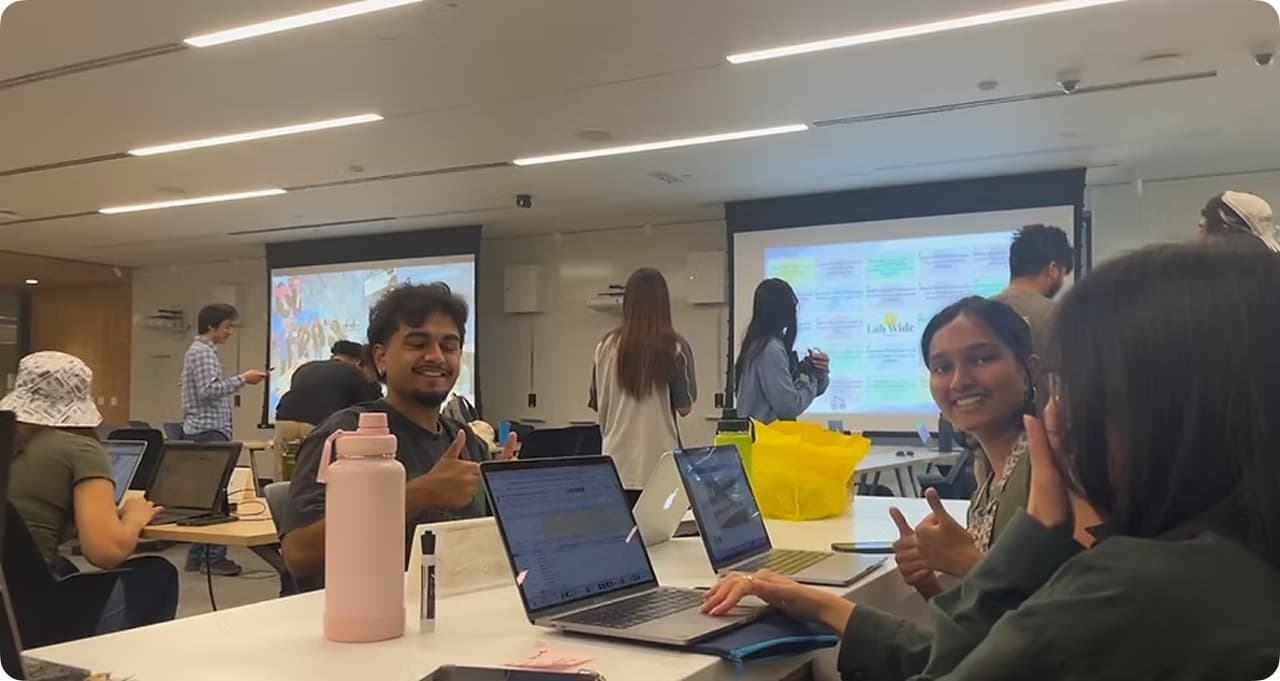
One honest limit: many connections were real but shallow under time pressure — some didn't exchange contacts. Naming this strengthens the trade-off: it's honest about when the system worked and when it didn't.
Reflection
Add a findability floor
Generate niche squares, but never make one person a square's only possible match. Consider smaller groups so even specific prompts have a chance of landing. No single-person points of failure.
Automate without re-introducing screen friction
The analog turn helped, but a fully automated, computationally generated yet still low-friction version is the open challenge: keep the personalization, keep the screen out of the way.
Test beyond one campus
Broader populations and longer-term follow-up would test whether these connections last past the event, which the current studies couldn't measure.
The goal was always for technology to recede so people could connect — and the trade-off work is what keeps it honest about when it did and when it didn't.