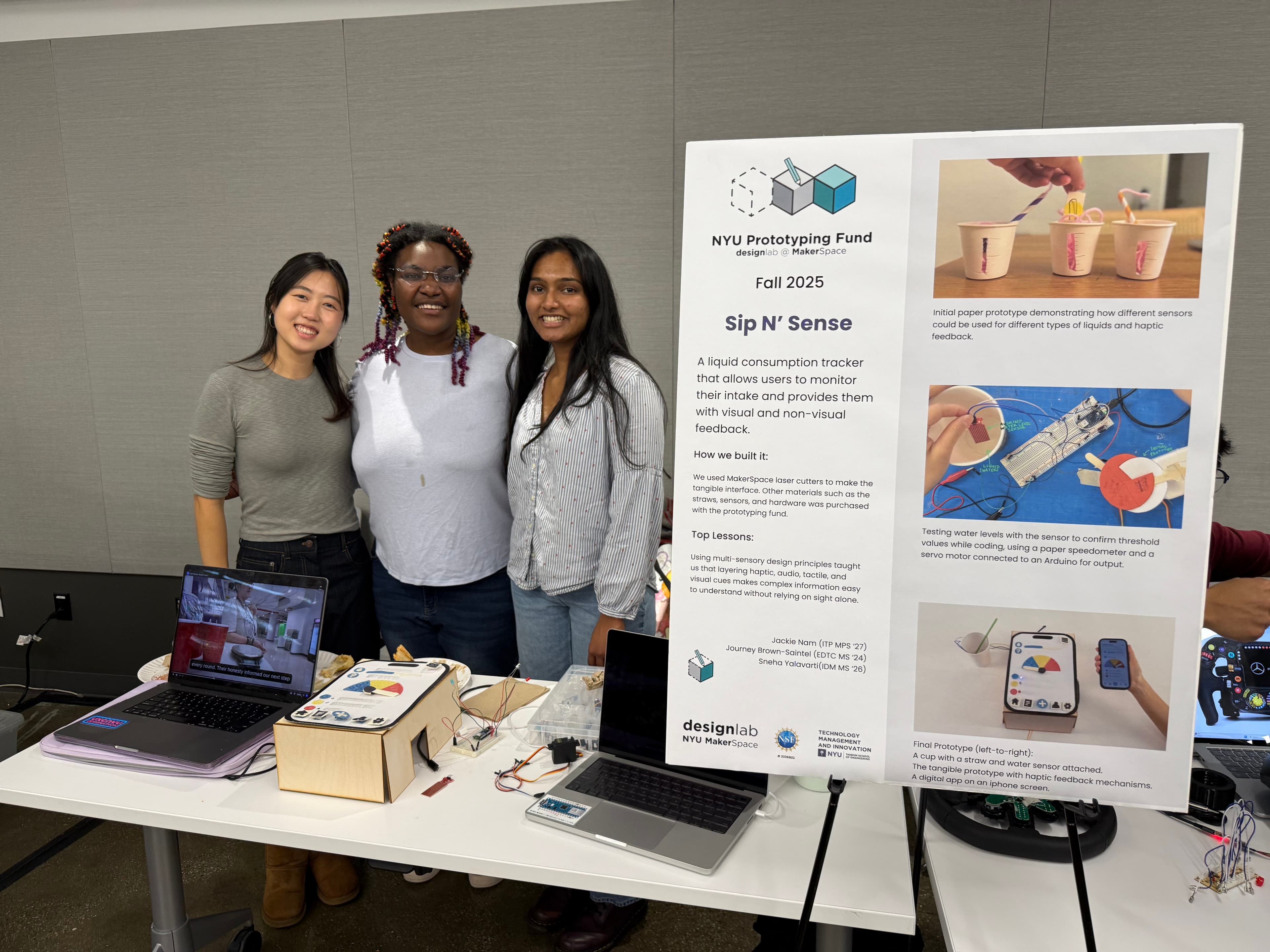
SIP N' SENSE
MY ROLE
End-to-end Design + Prototyping
TEAM
Journey Brown-Saintel, Jackie Nam
TECHNOLOGIES
Figma, Arduino
TIMELINE
8 Weeks
Track. Sip. Thrive.
Sip N' Sense helps users track every sip and receive personalized, screen-free hydration guidance through touch, sound, and motion.
CONTEXT
Most hydration tools use the same metrics to track liquid intake via visual interface.
CHALLENGE
Drinking water is one of the most intuitive acts, driven by bodily response, yet the tools designed around it aren't seamless. Tracking fluid intake meant stopping, logging, and remembering; three things people consistently don't do.
SOLUTION
A hydration responsive system that measures liquid intake and communicates it through haptics, sound, and light.
The Landscape
Business Gap
Currently, most hydration-tracking products (e.g. bottles & apps):
- Require manual logging or syncing with external apps/devices.
- Rely solely on visual interfaces and are often just for water (e.g., phone screens, LED bottles).
- Fail to provide multi-sensory, real-time feedback that integrates naturally into the act of drinking.
User Problem
Health-conscious individuals struggle to:
- Accurately monitor fluid(s) intake throughout the day.
- Stay consistent with hydration or dietary goals because tracking is often inconvenient.
- Access real-time, embodied feedback that's both subtle and intuitive.
Problem Statement
How can we leverage senses beyond vision to gain information about liquid consumption while providing a feedback system that enables better tracking without distracting from the drinking experience?
Understanding Behaviors
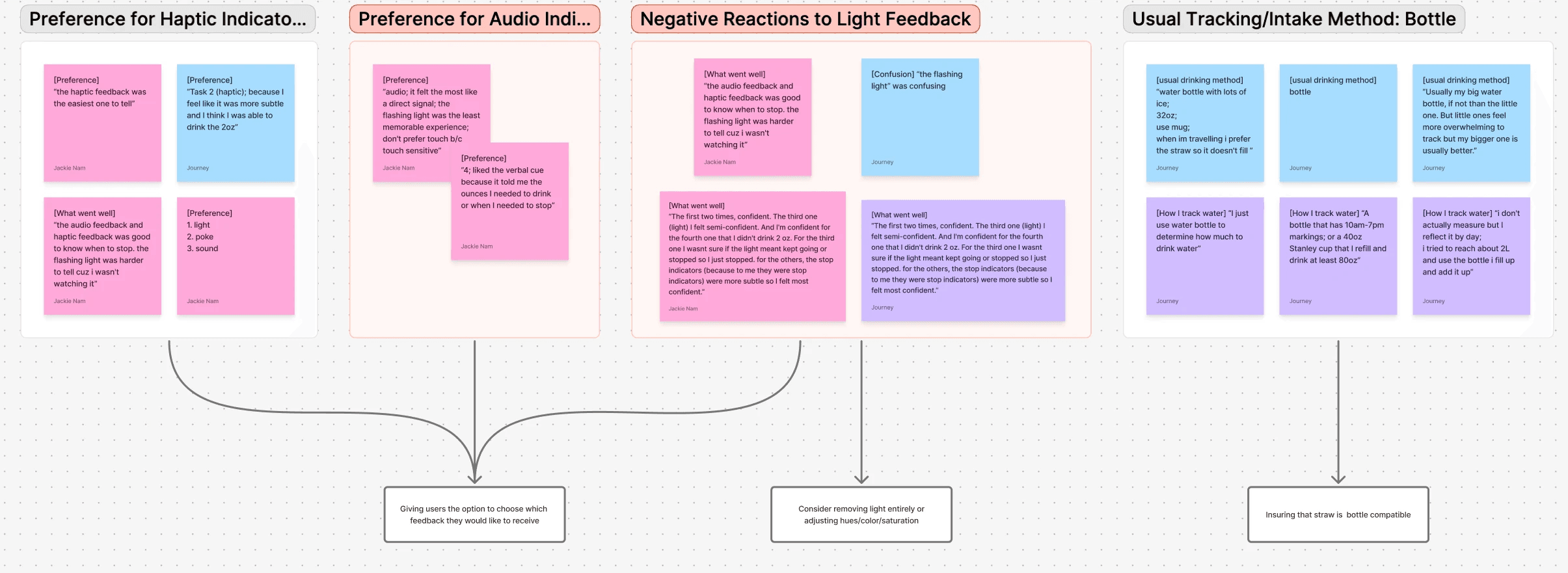
We ran two studies in parallel: a sensory feedback test and behavioral interviews about how people actually track. We wanted to know whether people could track consumption more accurately if the feedback came to them — not through a screen, but through their body.
Sensory Feedback Study
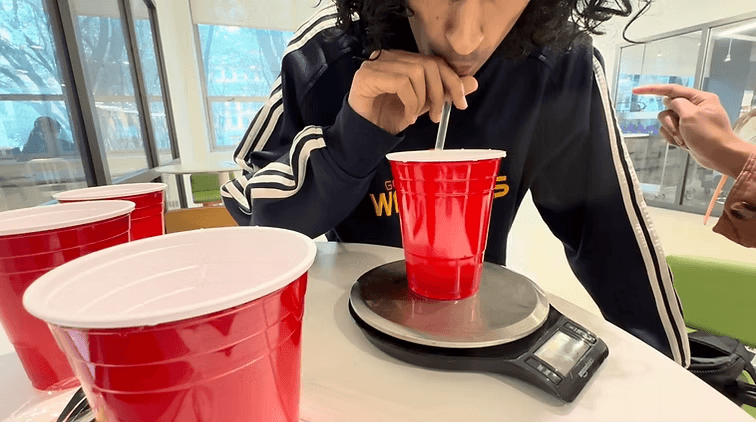
n=5 participants. Each drank what they estimated to be 2oz of water while receiving one of four feedback types: haptic, light, audio, or none. We measured accuracy and observed how each feedback type affected the experience.
Key Findings
Challenge: The data refused to pick a winner.Without feedback, participants missed a 2oz target by an average of 1.24oz. Any feedback cut that error nearly in half. But while haptic, light, and audio all improved accuracy, none clearly outperformed the others. The difference emerged in the experience, not the numbers.
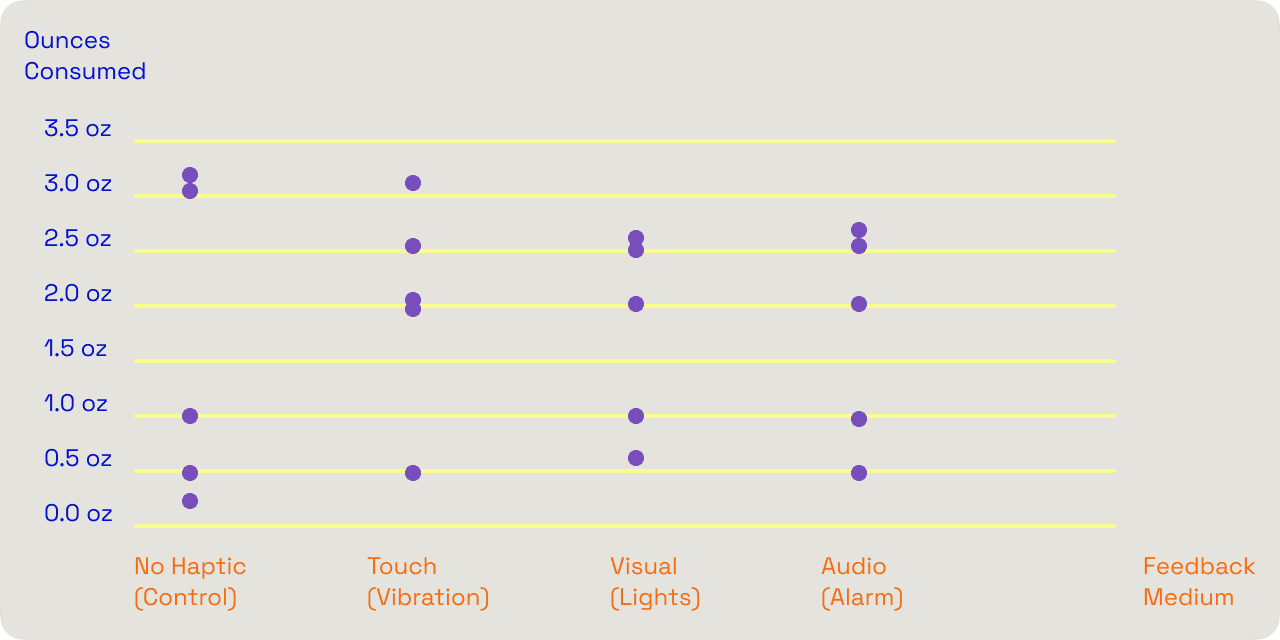
1.24oz
avg. error · No feedback
0.66oz
avg. error · Haptic
0.74oz
avg. error · Light
0.78oz
avg. error · Audio
Subtle and private
Haptic feedback was subtle and private — participants could drink intuitively until told otherwise, without additional cognitive load. But it was easier to overlook during movement. The buzz was the most “forgettable in the best way” — it didn't demand attention, it just guided.
Because accuracy alone couldn't determine a winner, we designed for flexibility instead. The final system combines visual, auditory, and haptic cues so users can receive feedback through whichever channel is most accessible in the moment.
n=5, small-sample usability study
Early Directions
Challenge: Every early concept fought the user.Early sketches explored responsive straws, sensor cups, and LED interfaces — all new objects that forced the user to adapt to the product. That was the hardest part: each concept asked people to change their behavior instead of fitting into what they already do.
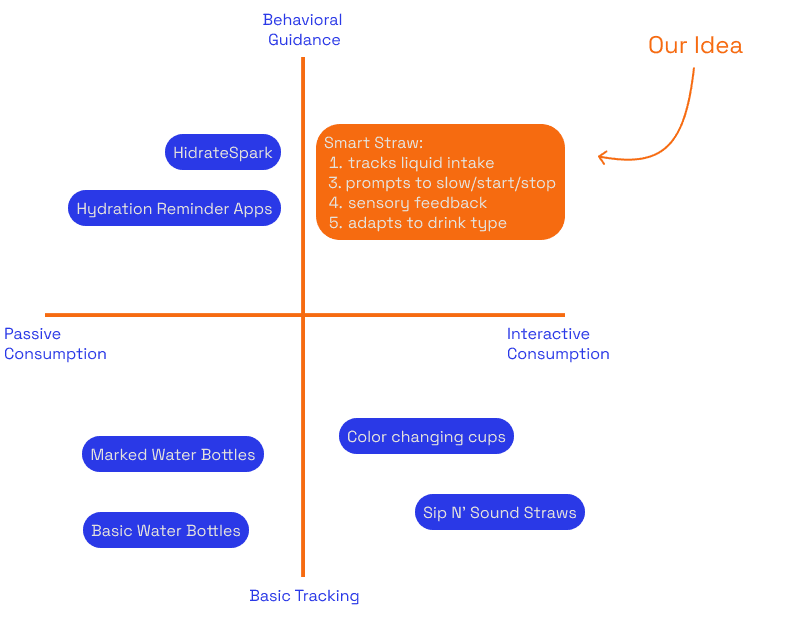
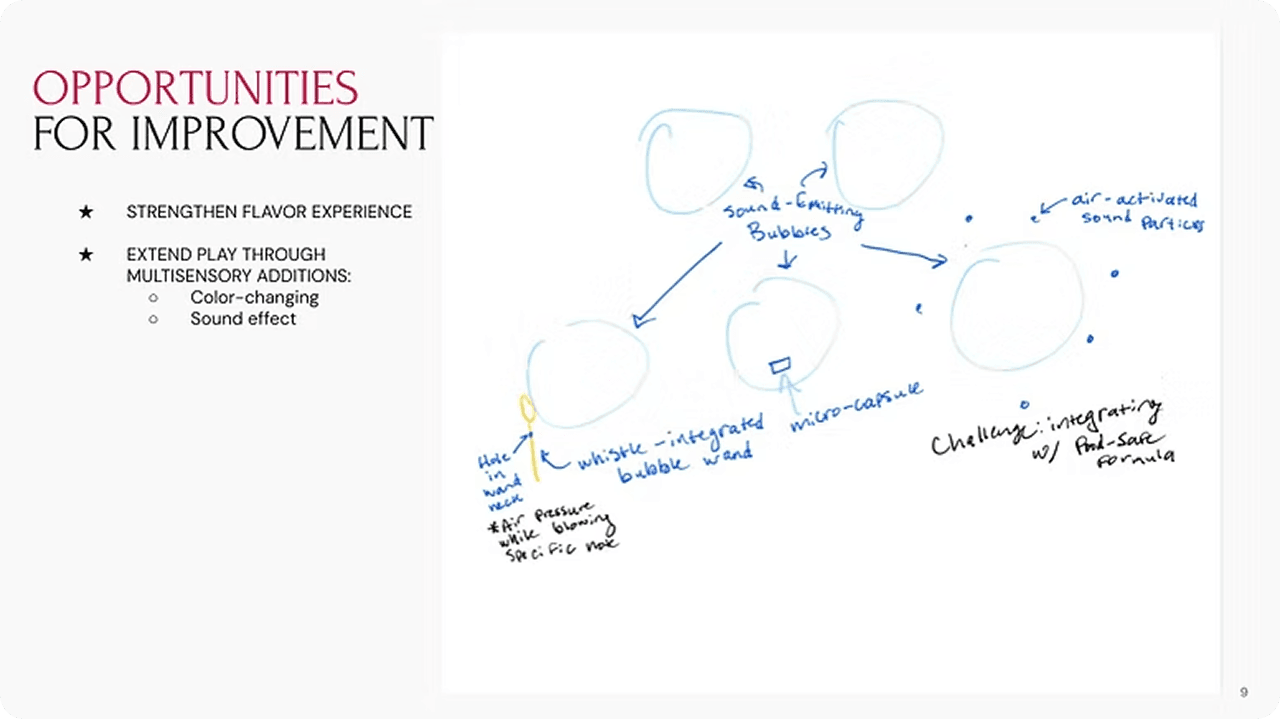
Early concepts — responsive straws, sensor cups, and LED interfaces
Paper prototype testing — exploring form factors and interactions
Shift
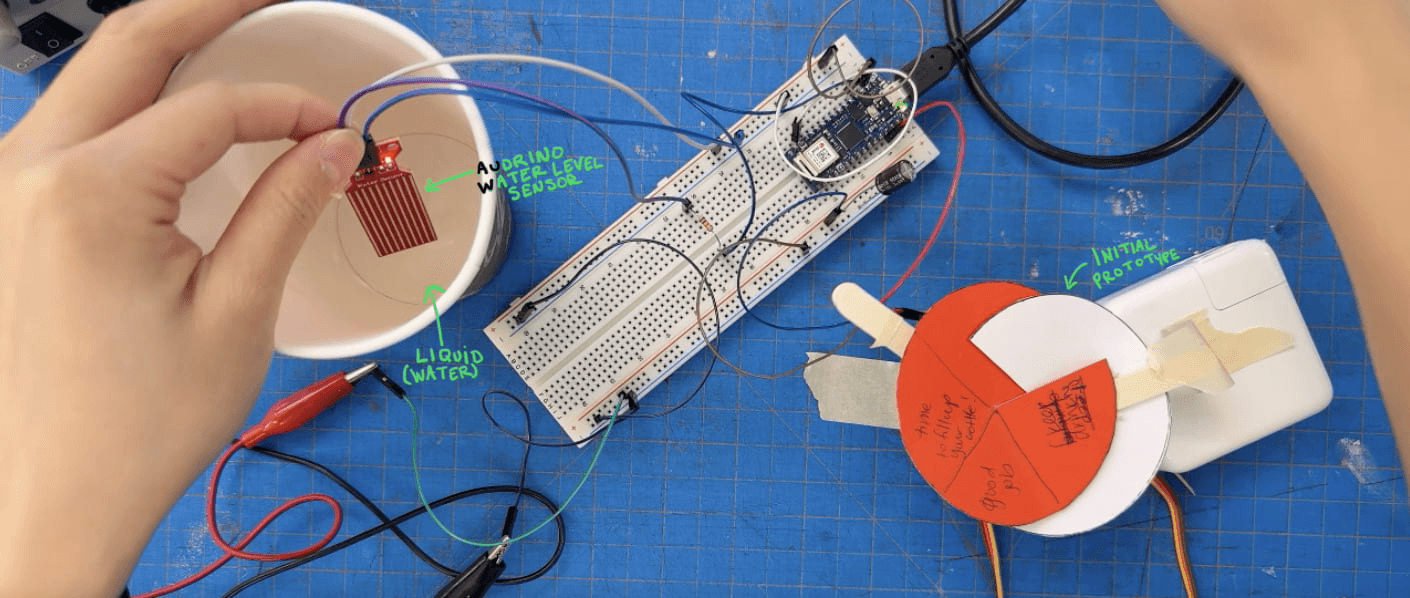
The breakthrough was designing for the object already in someone's hand. We pivoted from standalone objects to a portable, clip-on water sensor that attaches to any bottle, cup, or glass the user already owns. Built on Arduino, the sensor tracks liquid level in real time and communicates through a speedometer-style interface with haptic, audio, and visual feedback — so progress reads by touch, sound, and motion, never locked to a screen.
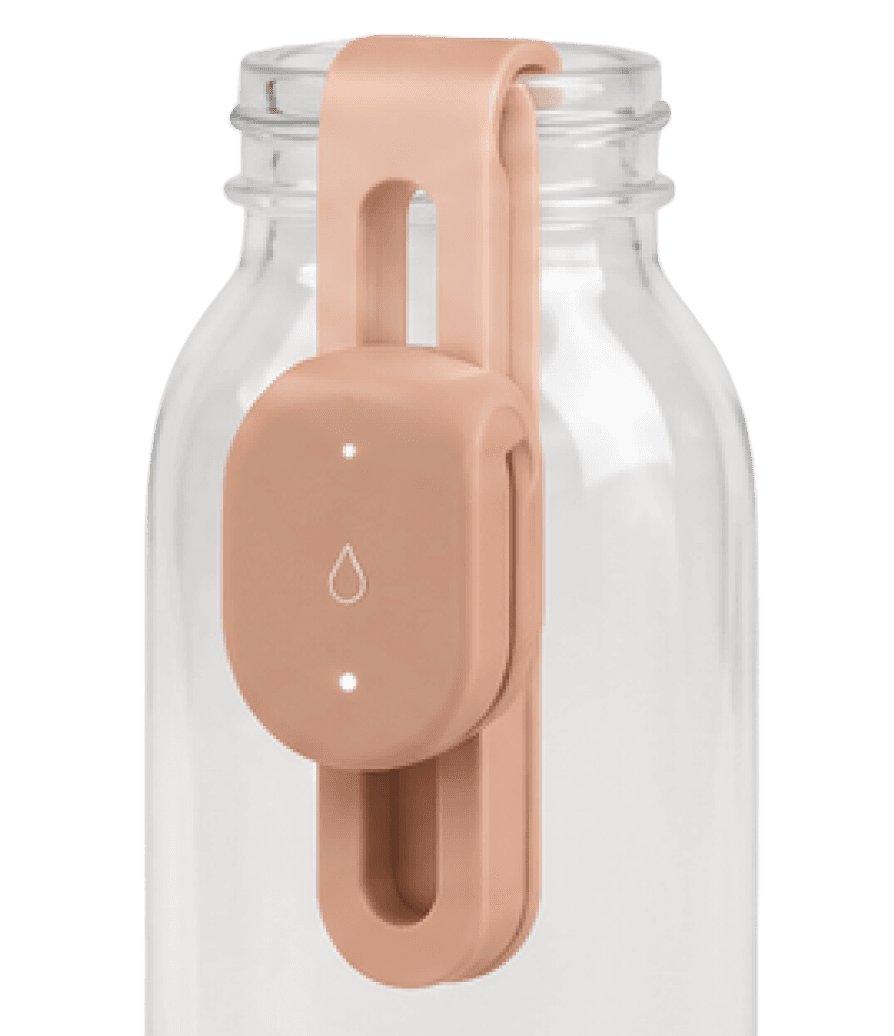
The goal — a portable clip-on sensor that fits any drinking vessel
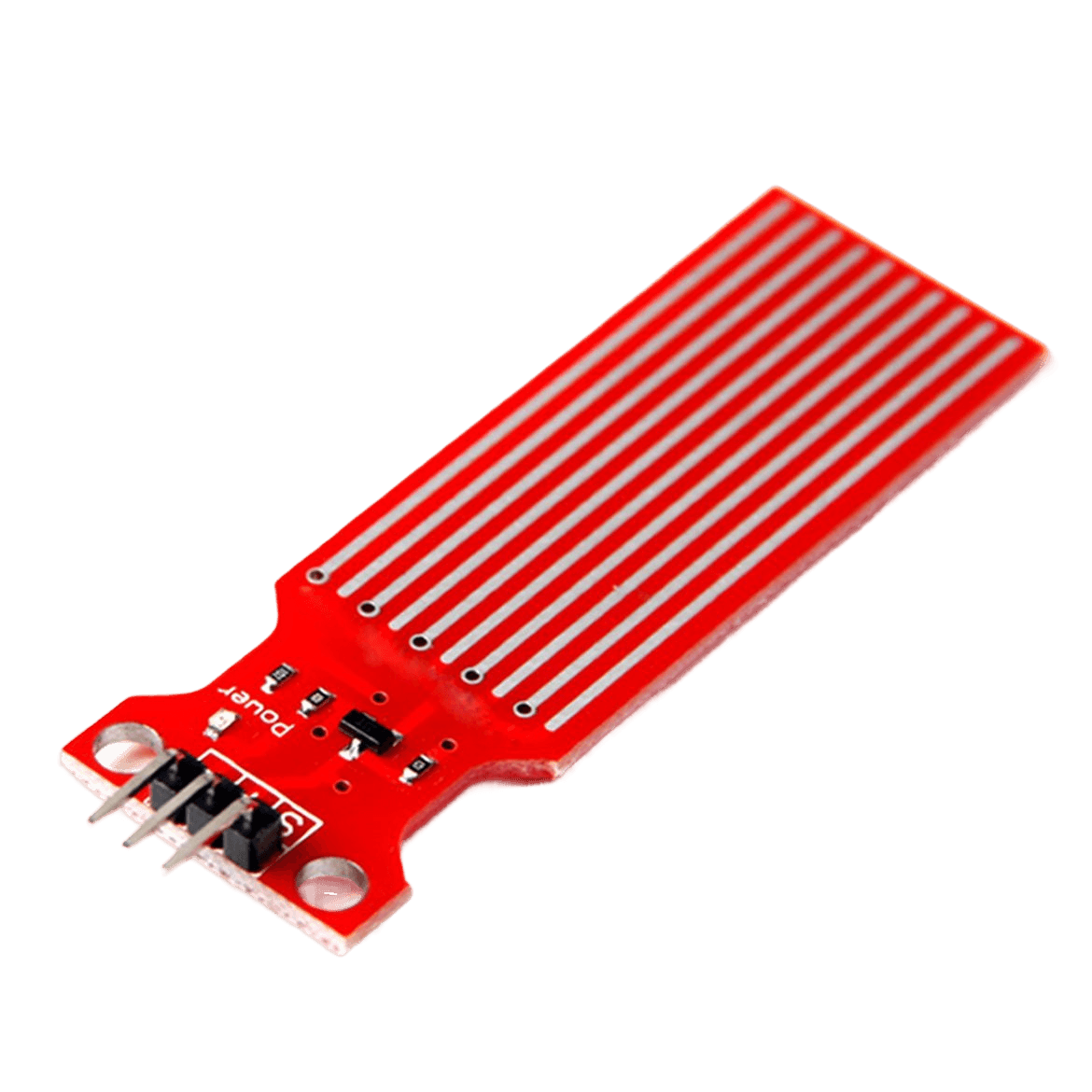
Working prototype — Arduino water-level sensor to test the concept
Testing the water-level sensor with Arduino code — tracking liquid in real time
Design
Challenge: Real multi-sensory feedback in 8 weeks.The clip-on sensor attaches to any drinking vessel and tracks liquid level in real time, paired with a tabletop interface — haptic, audio, and a moving speedometer all firing as someone drinks. Accessibility was a premise from the brief, so the system already worked without sight. Each prototype element is a proof-of-concept for one shippable feature.
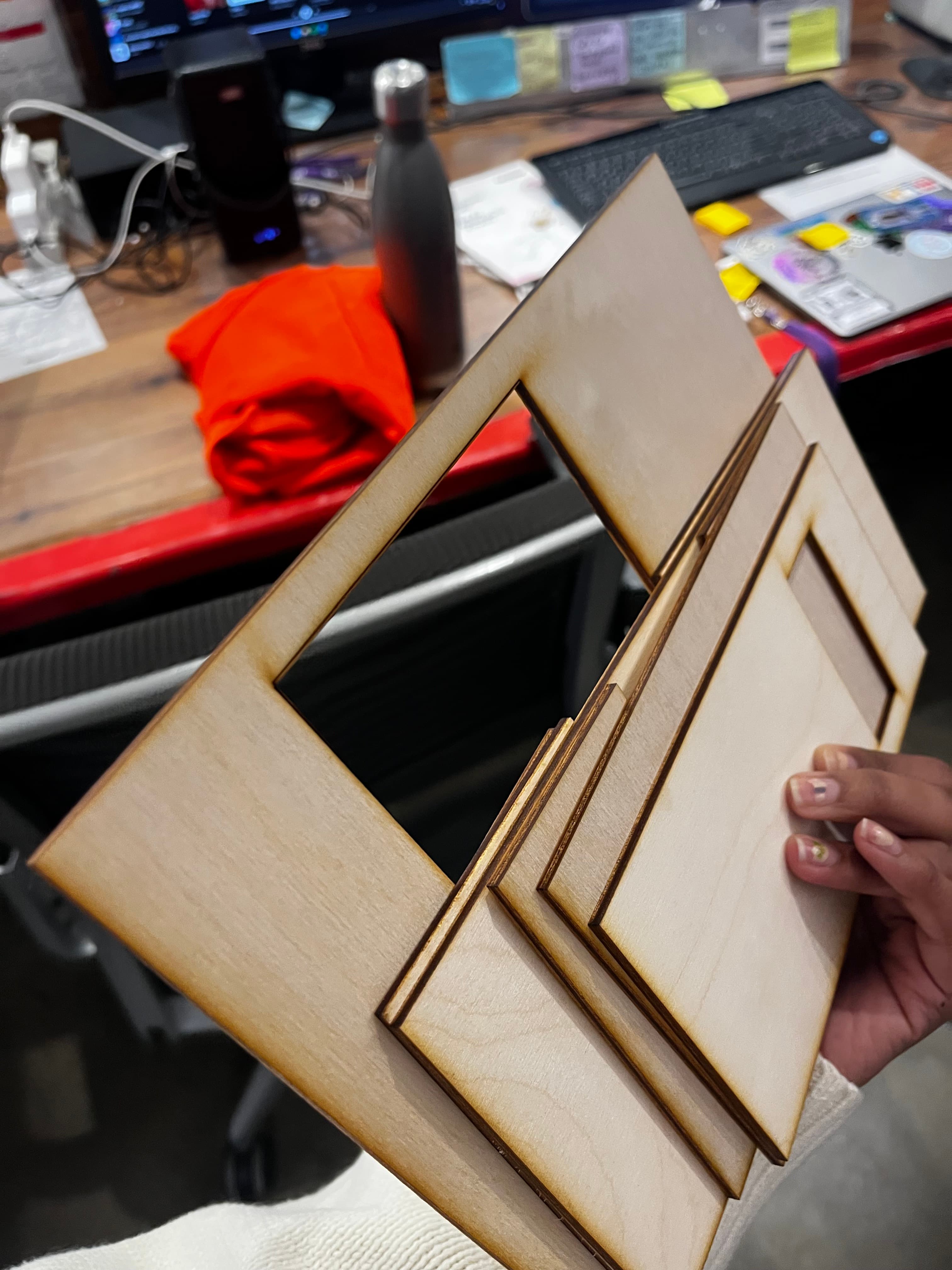
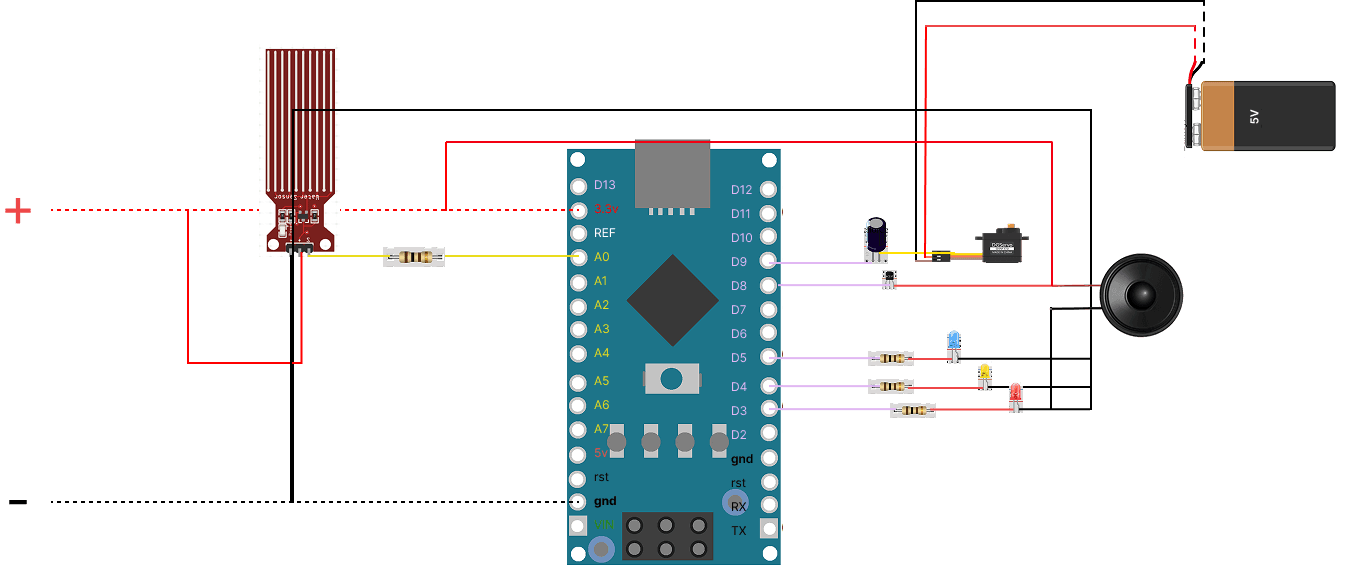
Building and testing the tangible interface prototype
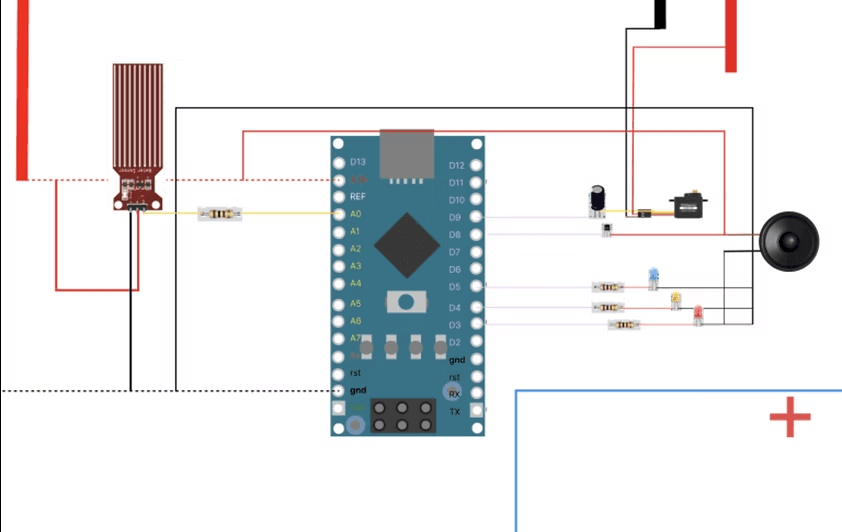
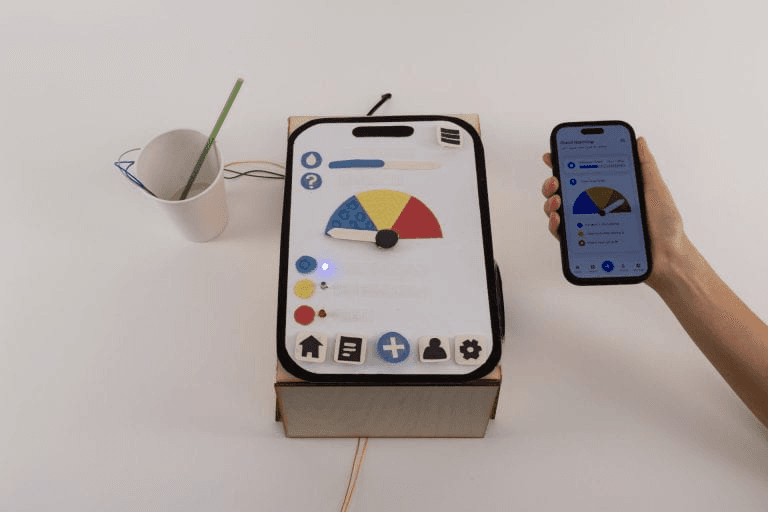
Prototype Today → Sensor Tomorrow
Built
- → Speedometer needle
- → Audio cue
- → Clip-on water sensor + tabletop interface
- → Single-liquid logging
Future
- → Ambient fill-level indicator on bottle
- → Optional smartwatch prompts
- → Portable sensor across bottles, cups, glasses
- → Unified tracking: water, sugary drinks, alcohol
Digital prototype — Figma interactive prototype
Arduino build — haptic motor, water sensor, LED ring, speaker
Impact
The layered prototype ran end-to-end on real liquid, proving feedback beyond vision could actually track intake. At the final showcase, Georgina Kleege and Sugandha Gupta — leading voices in disability and sensory design — responded strongly to the tactile interface and haptic feedback. An encouraging early signal that the approach was worth pursuing.
Kleege & Gupta showcase — testing the tactile interface and haptic feedback
Reflection
The study was small and all-sighted — the clearest next step is testing directly with blind and low-vision users.
Test with blind and low-vision users directly
The strongest validation came from accessibility experts at the showcase, but the core user group hasn't been tested yet. That's the obvious next step.
Prioritize the portable sensor earlier
A significant portion of early ideation focused on standalone objects we ultimately abandoned. Starting with the constraint of fitting into existing drinking behaviors would have surfaced stronger concepts faster.
Narrow to one core interaction
While the prototype explored multiple touchpoints, future development should focus on a single primary interaction — reducing complexity and making the product easier to adopt.